
OSSC CGL Passport Size Photo Requirements 2025: Image Size, Format & Upload Guidelines
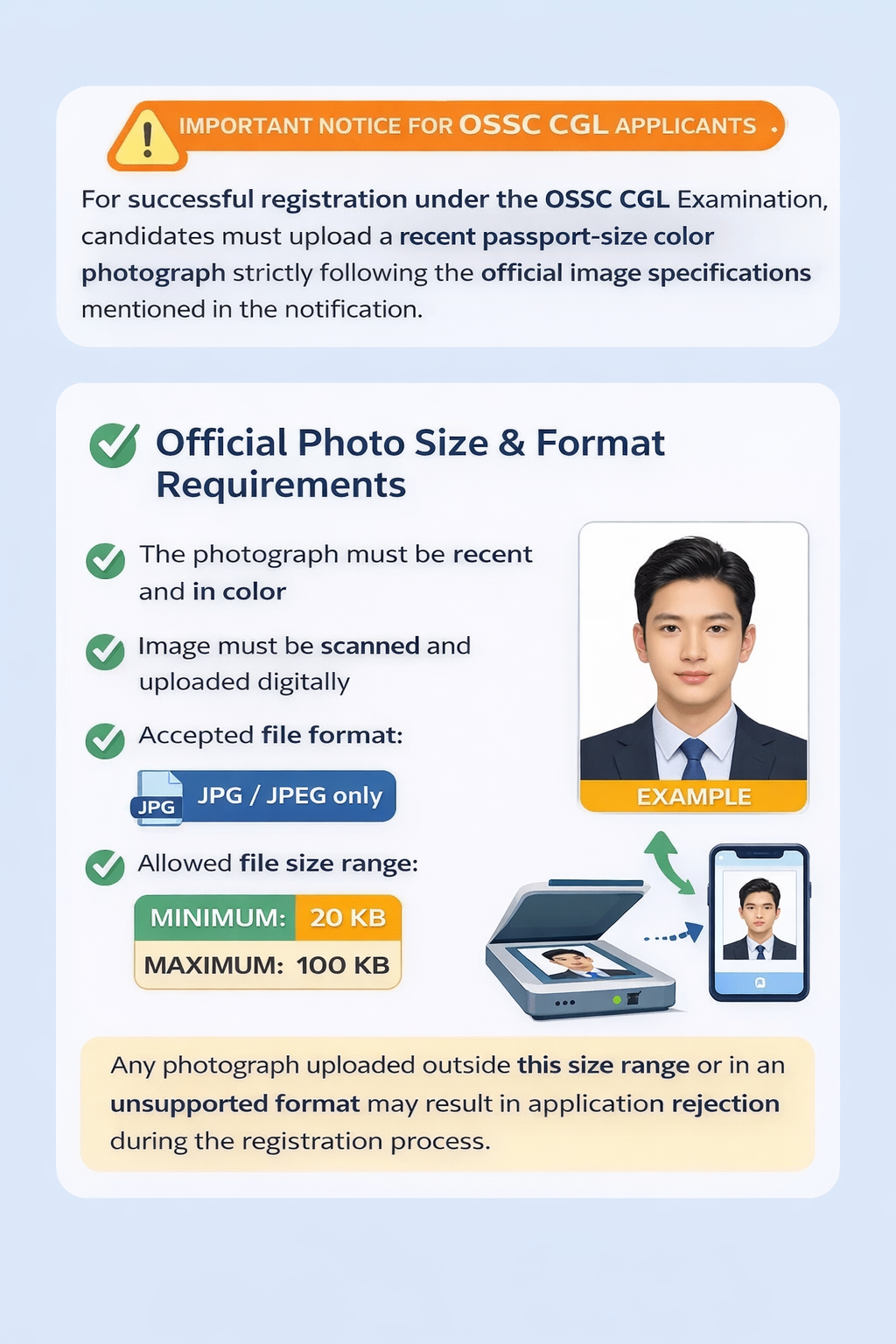
Uploading a passport size photograph in the correct size and format is a crucial, mandatory step while applying for the OSSC CGL Examination. As clearly stated in the official OSSC CGL advertisement, candidates must upload a recent passport-size colour photograph scanned in JPG/JPEG format, with the file size falling within the prescribed limit.
Every year, numerous applications face rejection during the scrutiny stage due to incorrect photo size, unsupported format, or excessively large files. This definitive guide explains the exact OSSC CGL photo requirements and shows candidates how to prepare a compliant image quickly and safely using a dedicated online image size reducer.
📸 OSSC CGL Official Passport Size Photo Requirement
The official OSSC CGL notification specifies the following non-negotiable requirements that candidates must meet before starting online registration:
| Specification | Requirement |
|---|---|
| Photo Type | Recent passport-size colour photograph |
| Format | JPG / JPEG Only |
| File Size Range | 20 KB to 100 KB |
| Digital Preparation | Image must be scanned and uploaded digitally |
Crucial Warning: Uploading an image outside this size range (e.g., below 20 KB or above 100 KB) or in any other file format (PNG, PDF, etc.) will likely lead to the outright rejection of your application.
✅ Recommended Safe Image Specifications
While the official limit is 100 KB, most successful submissions target a slightly smaller range to avoid border-case file size fluctuations during upload. We recommend aiming for the following:
| Requirement | Recommended Limit |
|---|---|
| Minimum File Size | 20 KB |
| Maximum Safe Size | 80 KB |
| File Format | JPG or JPEG |
⚠️ Unsupported Formats: Images in PNG, PDF, HEIC, or screenshot formats are not accepted.
🖼️ Example: Correct OSSC CGL Passport Photo
This image demonstrates:
- Clear face visibility
- Plain white or light background
- Appropriate contrast and lighting
- Compliance with the required 20 KB to 80 KB file size range.
🚫 Why OSSC CGL Has Strict Photo Size Rules
The OSSC online application system uses automated tools to check the compliance of every uploaded file. The system will flag or fail the submission if your photo violates any of these key checks:
- File Format Compatibility: Must be JPG/JPEG.
- File Size Range: Must strictly fall between 20 KB and 100 KB.
- Image Clarity: Assessed by the quality and detail in the compressed file.
If your photo exceeds 100 KB, is below 20 KB, or is not in the required JPG/JPEG format, the upload will either fail immediately or the application will be rejected at a later stage of scrutiny.
👤 Background & Appearance Rules for OSSC CGL Photo
To ensure your photograph is accepted based on appearance and quality:
- Background: Must be a plain white or light, monochromatic colour.
- Lighting: Ensure there are no shadows on your face or the background.
- Visibility: Your entire face must be clearly visible, from the forehead to the chin.
- Expression: Maintain a neutral facial expression with your eyes open and looking directly at the camera.
🖼️ Example: Incorrect OSSC CGL Photo & Common Mistakes
| Common Mistake | Consequence |
|---|---|
| File size above 100 KB | Automatic rejection by the upload portal. |
| PNG or PDF format | Upload failure/Application rejection. |
| Dark or patterned background | Fails background scrutiny rules. |
| Blurry or poor resolution image | Fails clarity checks. |
❌ Accessories & Editing Rules
The rules concerning accessories and editing are strict:
- ❌ Forbidden: Caps, hats, or non-religious headgear.
- ❌ Forbidden: Sunglasses or tinted glasses.
- ❌ Forbidden: Heavy beauty filters, AI editing, or dramatic digital alterations.
- ✅ Allowed: Normal prescription spectacles (ensure absolutely no glare or reflection obscures the eyes).
- ✅ Allowed: Only basic, essential cropping and resizing is permitted.
🎯 How to Resize OSSC CGL Photo Online (Recommended)
If your current photograph is too large (over 80 KB/100 KB) or too small (under 20 KB), using a specialized OSSC CGL image size reducer tool is the safest and fastest solution.
The ImazeReduce Photo Size Targeter (20 KB - 80 KB) ensures:
- Precise File Size: Automatically compresses and resizes the photo to fall within the safe 20 KB to 80 KB range.
- Format Compliance: Ensures the final output is a compliant JPG/JPEG file.
- Quality Maintenance: Uses iterative compression logic to keep the image quality as high as possible while meeting the size target.
- Instant Ready-to-Upload Photo: Get your compliant file in seconds.
❓ FAQs – OSSC CGL Photo Size & Format
What is the required photo size for OSSC CGL?
The photo file size must be between 20 KB and 100 KB (with 20 KB to 80 KB being the recommended safe range).
Which format is accepted for OSSC CGL photograph?
Only JPG or JPEG format is accepted. All other formats will result in failure.
Can I upload a mobile photo for OSSC CGL?
Yes, provided the image is high-resolution, clear, properly lit, and accurately resized to the required 20 KB to 100 KB file size using a tool.
Will my application be rejected for the wrong photo size?
Yes. Incorrect photo size, format, or poor quality can lead to application rejection during the automated or manual scrutiny process.
Can I resize the OSSC CGL photo online?
Yes. Using a dedicated OSSC CGL image size reducer online is the most reliable method to achieve the exact file size requirements without compromising quality.
Final Words
Uploading the correct passport size photograph is a mandatory and non-negotiable requirement for OSSC CGL registration. Candidates must strictly follow the 20 KB to 100 KB file size limit and upload the image only in JPG/JPEG format. To avoid last-minute application errors and rejection, always resize and compress your photograph using a trusted OSSC CGL image size reducer tool before final submission.